Posts

Showing posts with the label How To

Amazing Sandbox (asb): The Ultimate Docker Environment

Image
For Senior DevOps engineers and SREs, the challenge isn't just "running a container"—it's managing environment drift, ensuring strict isolation, and orchestrating complex multi-service dependencies without polluting the host or peer environments. The Amazing Sandbox Docker (asb) ecosystem has emerged as a powerhouse for those who need more than just standard Docker Compose scripts. It provides a robust abstraction layer designed for high-fidelity sandboxing, ephemeral testing, and reproducible development environments. Table of Contents Understanding Amazing Sandbox (asb) Why Experts Prefer Amazing Sandbox Docker Architectural Deep Dive: How ASB Works Advanced Configuration & Implementation ASB in the Modern CI/CD Pipeline Frequently Asked Questions Conclusion Understanding Amazing Sandbox (asb) Amazing Sandbox, often abbreviated as asb , is an orchestration wrapper and environmen...

Linux 6.19 Update Gives Old AMD Radeon GPUs a Huge 30% Boost

Image
The Linux 6.19 kernel update has arrived as a significant milestone for hardware longevity, specifically targeting the aging but still capable GCN 1.0 (Southern Islands) and GCN 1.1 (Sea Islands) architectures. By shifting the default kernel driver from the legacy "Radeon" DRM to the modern amdgpu stack, users are seeing performance uplifts of up to 30% in synthetic benchmarks and real-world gaming scenarios. This guide explores the technical shift in Linux 6.19 AMD Radeon support and what it means for your legacy hardware. The Technical Shift: Why AMDGPU Matters for Legacy Cards For over a decade, cards like the Radeon HD 7950 or the R9 290 relied on the legacy radeon driver. While stable, this driver lacked the modern optimizations found in the amdgpu driver, which was originally built for GCN 1.2+ (Volcanic Islands and beyond). Thanks to significant upstreaming efforts led by developers at Valve , specifically Timur Kristóf, the amdgpu driver now officially sup...

Deploy Python Flask to AWS Fargate with OpenTofu & Docker

Image
In the modern cloud-native landscape, the combination of Python Flask Fargate deployments represents a sweet spot between operational simplicity and scalability. While Kubernetes offers immense power, it often introduces unnecessary complexity for straightforward microservices. AWS Fargate provides a serverless compute engine for containers that eliminates the need to provision and manage servers, allowing expert teams to focus on application logic rather than cluster maintenance. This guide moves beyond basic "Hello World" tutorials. We will architect a production-ready infrastructure using OpenTofu (the open-source Terraform fork) to orchestrate a secure, load-balanced, and scalable environment for your Python Flask application. We assume you are comfortable with Python, AWS primitives, and containerization concepts. 1. Architecture Overview Before writing code, let's visualize the target architecture. Our Python Flask Farg...

Mount Proton Drive on Linux: rclone systemd Setup Guide

Image
For Linux power users and DevOps professionals, the lack of an official Proton Drive client is a significant friction point. While the web interface handles basic uploads, integrating encrypted cloud storage into your file system for seamless I/O requires a more robust solution. The definitive way to mount Proton Drive on Linux is by leveraging the power of rclone combined with systemd for persistence. This guide skips the basics. We assume you are comfortable with the CLI and focus on the architectural requirements, performance tuning via VFS caching, and creating a production-grade systemd service to manage your mount. Prerequisites and Architecture Before attempting to mount Proton Drive, ensure your environment meets the strict version requirements. Proton Drive support was added to rclone relatively recently. Rclone v1.63 or higher: Most package managers (apt, dnf) ship outdated versions. You must install from the official script or binary. FUSE (Filesyst...

Unlock AMD GPU Power on Raspberry Pi: No Linux Recompilation Needed!

Image
For years, the holy grail of ARM-based SBC tinkering has been true hardware acceleration via discrete GPUs. Historically, this meant hours of cross-compiling custom kernels, patching Device Trees, and praying to the silicon gods that your kernel panics were legible. With the advent of the Raspberry Pi 5 and the exposed PCIe bus on the CM4, the landscape has changed. This guide targets the AMD GPU Raspberry Pi integration without the nightmare of kernel recompilation. We will leverage mainline kernel support found in specific ARM64 distributions, manipulate PCIe lane configurations via config overlays, and tackle the notorious BAR (Base Address Register) space issues that plague ARM architectures. The "No Recompile" Strategy: Choosing the Right Distro The primary reason users traditionally recompiled kernels was that the stock Raspberry Pi OS kernel stripped out unused modules (like amdgpu ) to save space. To bypass this without building from sou...

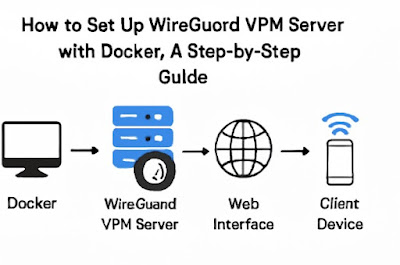
How to Set Up WireGuard VPN Server with Docker: A Step-by-Step Guide

Image
Introduction Setting up a Virtual Private Network (VPN) is one of the most effective ways to ensure secure and private internet connections. WireGuard is a modern, lightweight VPN protocol known for its simplicity and speed. Docker, on the other hand, offers an easy way to deploy applications in containers, making it an ideal platform for running a WireGuard VPN server. In this step-by-step guide, we will walk you through the process of setting up a WireGuard VPN server using Docker, so you can enjoy the benefits of a secure, fast, and manageable VPN solution. Whether you're a beginner or an experienced system administrator, this guide will provide clear instructions to ensure your setup is smooth and effective. Why Use WireGuard with Docker? Before diving into the setup, let's briefly explore why using WireGuard with Docker is a powerful combination: Key Benefits: Security : WireGuard is designed with modern cryptography to provide secure VPN connections. Performan...

How to Optimize Cloud Costs with DevOps – Expert Tips for Saving Money

Image
Introduction Cloud computing has transformed the way businesses operate, offering scalability and flexibility. However, uncontrolled cloud spending can quickly escalate, affecting profitability. DevOps plays a crucial role in optimizing cloud costs by automating processes, improving resource utilization, and implementing cost-effective strategies. In this guide, we'll explore expert tips on how to optimize cloud costs with DevOps while maintaining performance and reliability. Understanding Cloud Cost Optimization in DevOps Cloud cost optimization involves reducing unnecessary expenses while ensuring the system remains efficient and scalable. DevOps practices enable organizations to streamline operations and enhance resource allocation, leading to significant cost savings. Key Benefits of Cloud Cost Optimization Reduced operational costs by eliminating underutilized resources. Improved efficiency through automation and monitoring. Enhanced scalability without excessive expenses. ...

Deploying a Node JS Project with Jenkins Pipeline

Image
Introduction Deploying a Node.js project with Jenkins pipeline is a powerful way to automate the software development lifecycle. Jenkins, an open-source automation server, streamlines the process of building, testing, and deploying applications. By integrating Jenkins with your Node.js project, you can ensure smooth, consistent, and automated deployments. This comprehensive guide covers everything from setting up Jenkins to writing a robust Jenkins pipeline for a Node.js project . Whether you're a beginner or an experienced DevOps engineer, this tutorial will help you optimize your deployment workflow. Setting Up Jenkins for Node.js Deployment 1. Install and Configure Jenkins To get started with Jenkins, follow these steps: Install Java (Jenkins requires Java): sudo apt update sudo apt install openjdk-11-jdk -y Download and Install Jenkins : wget -q -O - https://pkg.jenkins.io/debian-stable/jenkins.io.key | sudo apt-key add - sudo sh -c 'echo deb http://pkg.jenkins.io/debian-...

How to create Quick Simple Repeatable Playbooks with Ansible

Image
Introduction Ansible is a powerful open-source automation tool used for configuration management, application deployment, and task automation. One of its key features is the ability to create playbooks, which are simple YAML files that describe the automation tasks you want to perform. By creating quick, simple, and repeatable playbooks in Ansible, you can streamline your processes, improve efficiency, and ensure consistency across your infrastructure. In this article, we’ll explore how to create these effective playbooks, covering everything from the basics to advanced use cases. Whether you're a beginner or a seasoned pro, this guide will help you unlock the full potential of Ansible in automating your infrastructure. What Are Ansible Playbooks? The Basics of Ansible Playbooks An Ansible playbook is a YAML file containing a series of plays, where each play defines a set of tasks that will be executed on remote hosts. The goal is to automate and configure the systems you manage. P...